Watch it run
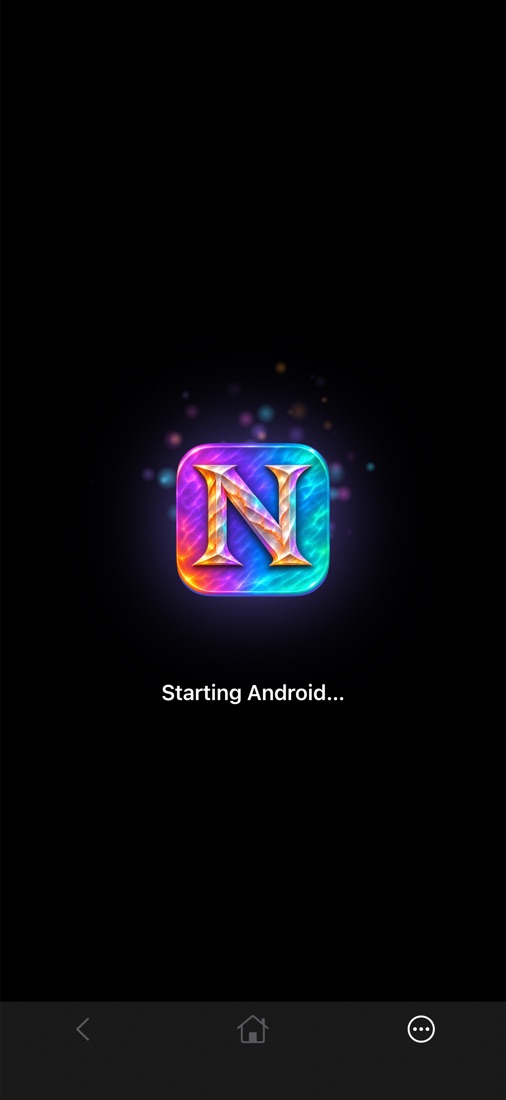
A short video of Nestvane on an iPhone: Android 17 starting and being used.
Android, on an iPhone screen
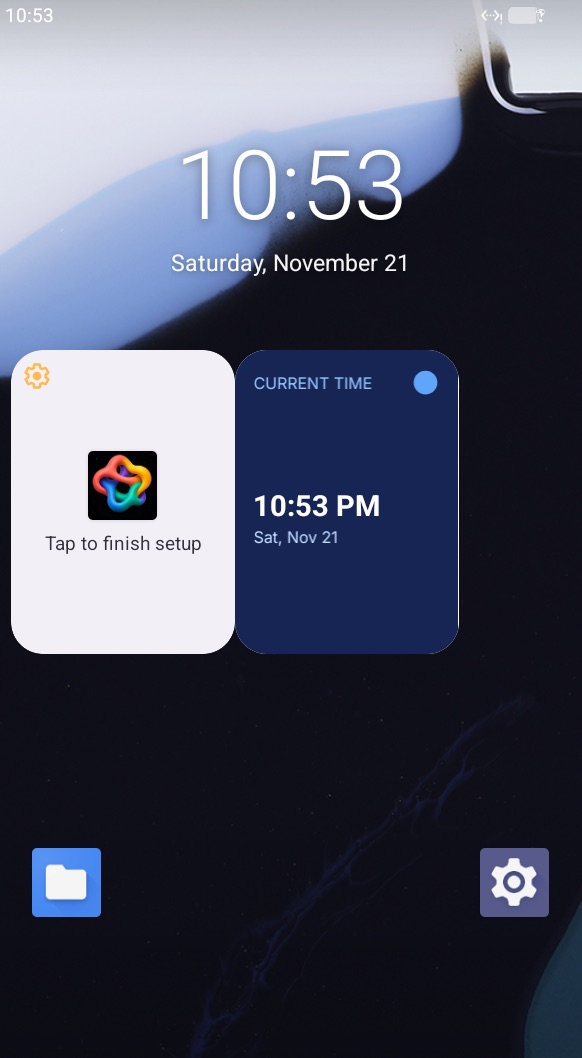
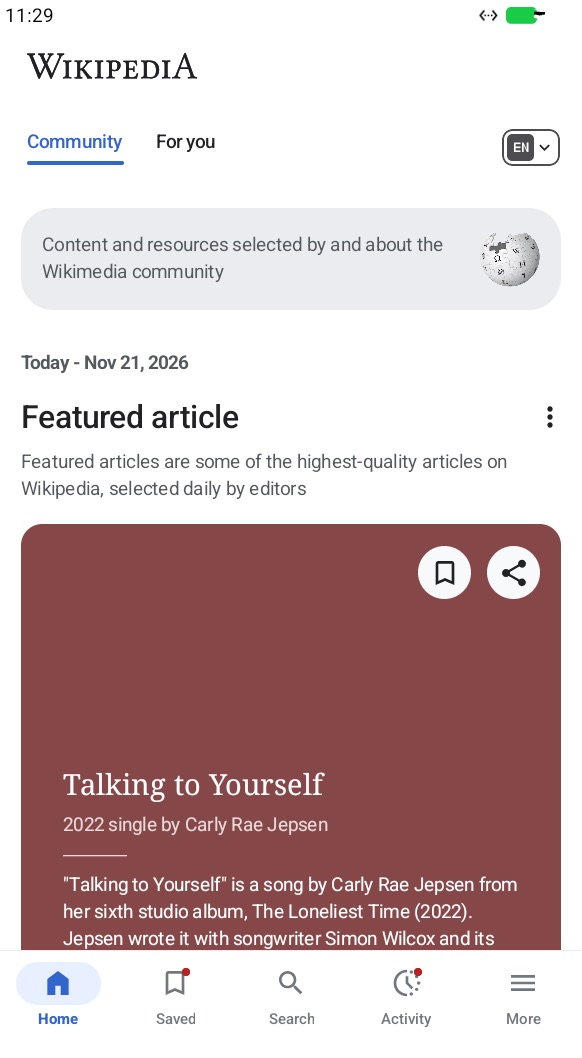
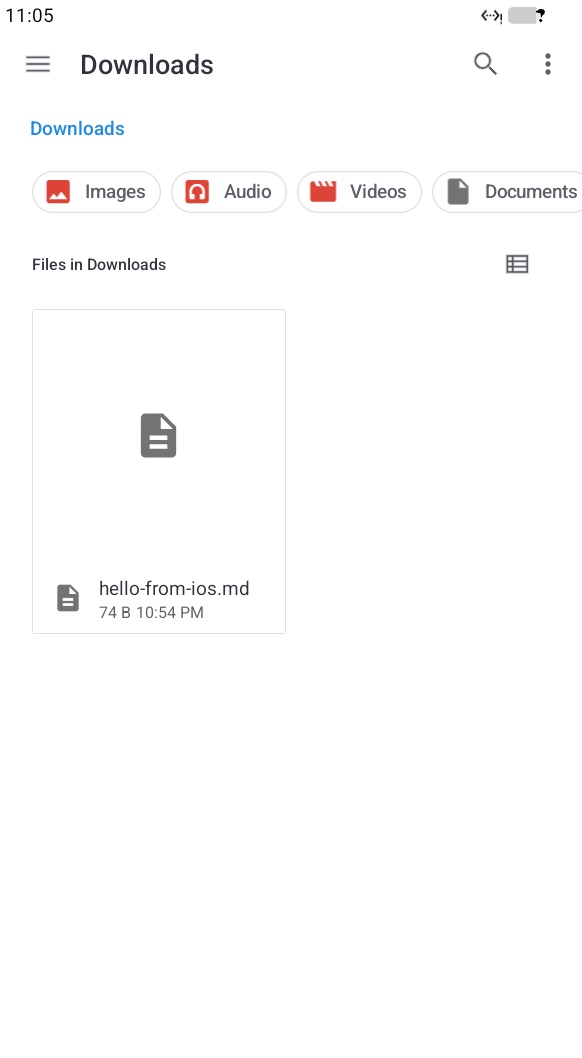
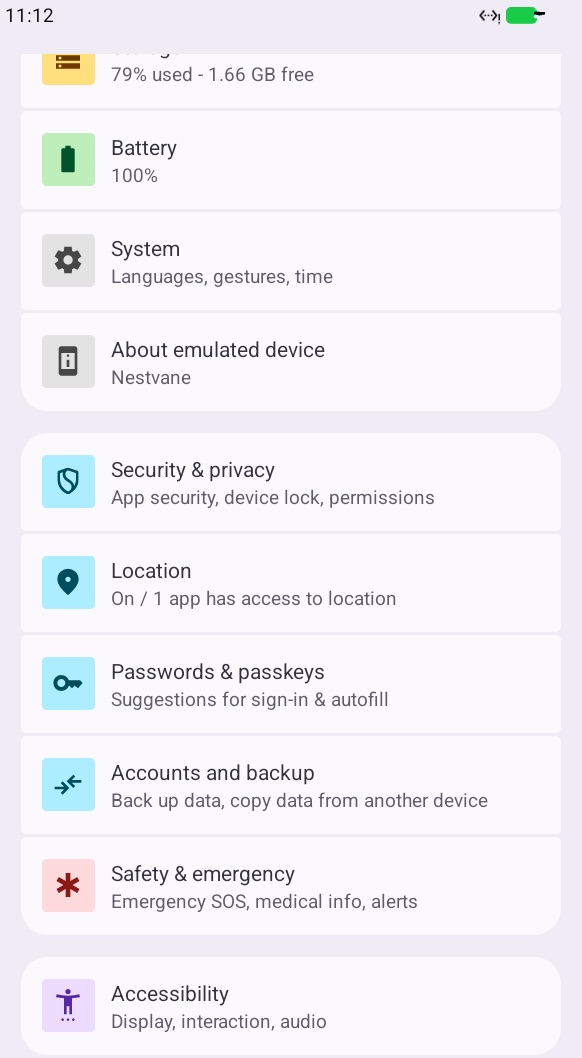
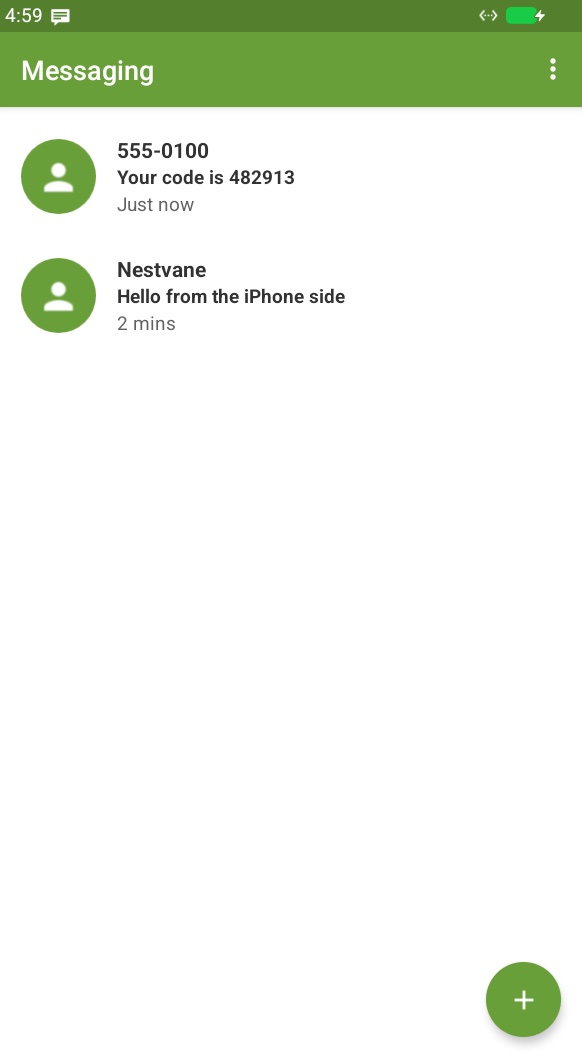
These are captures from Nestvane running on iPhone 15 Pro and iPhone 17 Pro.
What works today
Nestvane is early. This is what the latest release does. How to use each of these
Android 17
The home screen, Settings and Files, built from the Android Open Source Project.
APK files
Open an APK with Nestvane from another app, or choose Install APK in Nestvane.
Network
Android apps use your iPhone’s Wi-Fi or cellular connection, and connect again when the phone moves from one to the other.
Shared files
Android’s shared storage is a folder in the Files app: On My iPhone → Nestvane → Android. Files you put there appear in Android within a few seconds.
Home screen widgets
Add widgets from installed apps to the Android home screen.
Video and sound
Android apps play video, and their sound comes out of your iPhone.
Camera
Android has your iPhone’s back and front cameras. Camera apps take photos and record video with sound, and what they save appears in the Files app.
Your iPhone’s clock and battery
Android shows your time zone and battery level.
120 Hz
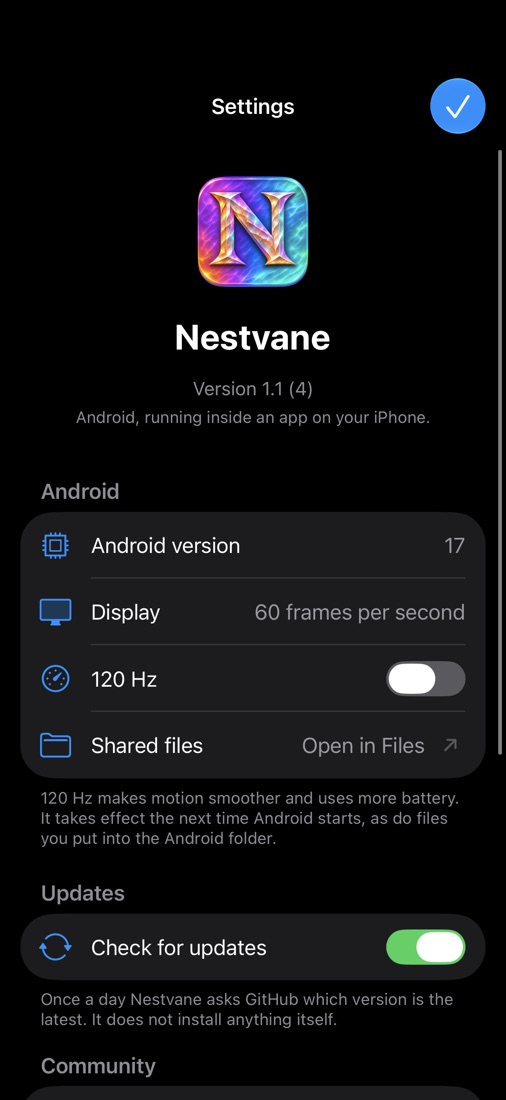
On a ProMotion screen Android can draw 120 frames a second. It is off until you turn it on in Nestvane’s settings, and uses more battery.
Text messages you write
Send Text Message in Nestvane’s menu hands Android a sender and a text, and Messaging shows it as an incoming message. Apps that wait for an SMS, to read a code for example, receive it too. Nothing is sent to anyone.
Web pages in apps
Android System WebView is part of the system, so apps that show web pages work: a Wikipedia article loads in a few seconds.
Root, if you want it
Off until you turn it on in Nestvane’s settings. Then an app that asks for root with su gets it once you allow it, and you can change your answer later. The official KernelSU Manager works too, with the same answers; its modules do not yet.
Back up Android
Back Up Android in Nestvane’s menu saves Android’s apps, their data and its settings in one file, kept where you choose. Restore Android puts it back.
Clear background apps
Touch and hold Home in Nestvane’s bar to close the apps in the background and free their memory.
Your device’s storage
Android’s Storage page shows how big your device’s storage is and how much of it is free.
Update notice
Once a day Nestvane asks GitHub which release is the latest and tells you when there is a newer one. It installs nothing itself.
- Start to the Android home screen
- About 10 s
- The first start after installing
- About 17 s
- A finger moving a list, 120 Hz on
- 111–120 fps
- The same, 120 Hz off
- 58–60 fps
- Apps that open, of 104 tried
- 87
Start times and frame rates on an iPhone 17 Pro, the apps on an iPad Air and an iPhone 14. Start times with about a dozen apps installed; with thirty it is nearer 10 s. Frame rates are frames handed to iOS, not refreshes of the screen itself. Opening means an app’s first screen was drawn; little beyond that was tried. The numbers in full
Root, with KernelSU Manager
Turn on root in Nestvane’s settings, and Android apps can ask for it with su: iOS asks you once for each app. The official KernelSU Manager works too. Nestvane’s Linux layer answers KernelSU’s own interface, so there is nothing to flash and no kernel to patch.
Turn on root
In Nestvane, open More → Settings and turn on Allow root. Then stop Android from the More menu and start it again.
Install the Manager
Download the KernelSU Manager APK from KernelSU’s releases on GitHub and open it with Nestvane. Only the Manager signed by KernelSU is recognized. The first time, it takes about a minute to set itself up.
Give and take away root
The Manager shows KernelSU as working. In its Superuser tab every app has a switch. The switches and the iOS prompt share the same answers: change one and the other shows it.
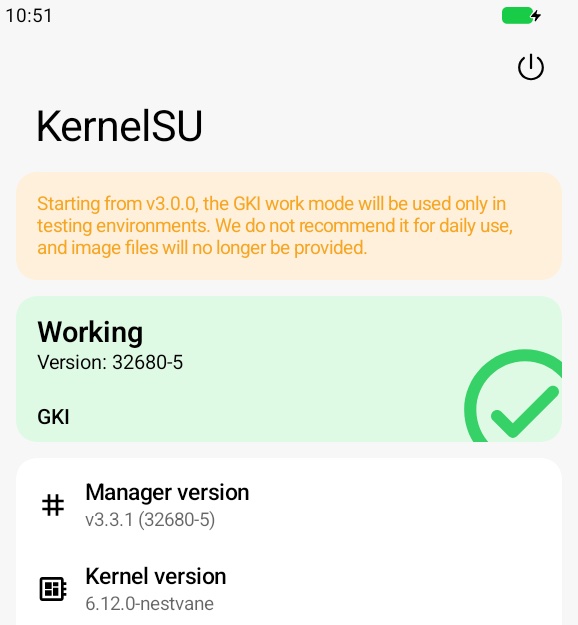
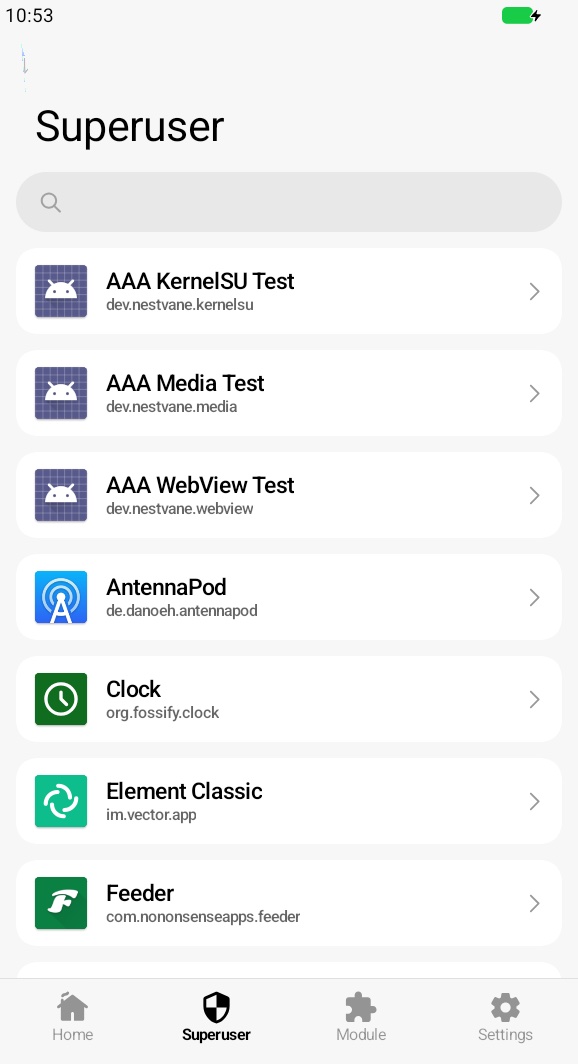
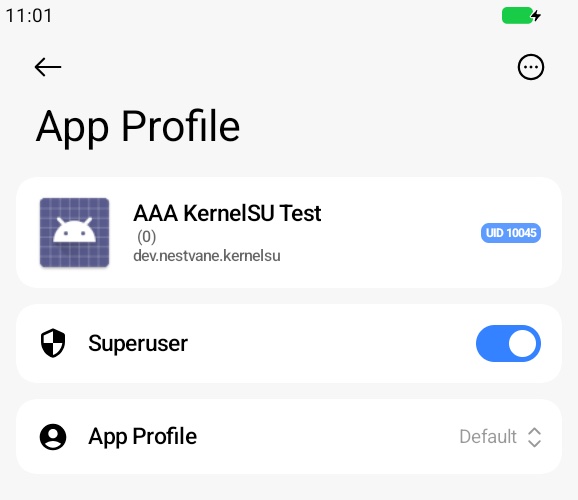
KernelSU modules do not work yet: nothing runs KernelSU’s ksud while Android starts. An app with root can read and change every app’s data, so allow only apps you trust. Step by step, and what does not work
How it works
iOS does not let an app create new machine code while it runs, so Nestvane cannot translate Android’s code on the fly. It is an ordinary app made of four pieces.
Android, rebuilt
Android 17 is compiled from source with a few processor registers left unused. Nestvane keeps its own bookkeeping in them while Android’s code runs. It is still the real system: the same start-up, home screen, Settings and package installer.
Code translated ahead of time
Before the app is built, each of Android’s programs and libraries, about 1,230 of them, is rewritten into code that iOS accepts. The result ships inside the app as signed code and runs directly on the processor.
A Linux kernel layer in the app
Android expects Linux underneath. Nestvane provides that layer itself: processes and scheduling, system calls, files, sockets, and Binder, the channel Android’s parts use to talk to each other.
An interpreter for the rest
Code that was not translated in advance, such as the native libraries some apps bring in their APK, is run one instruction at a time by an interpreter. That works, but it is much slower.
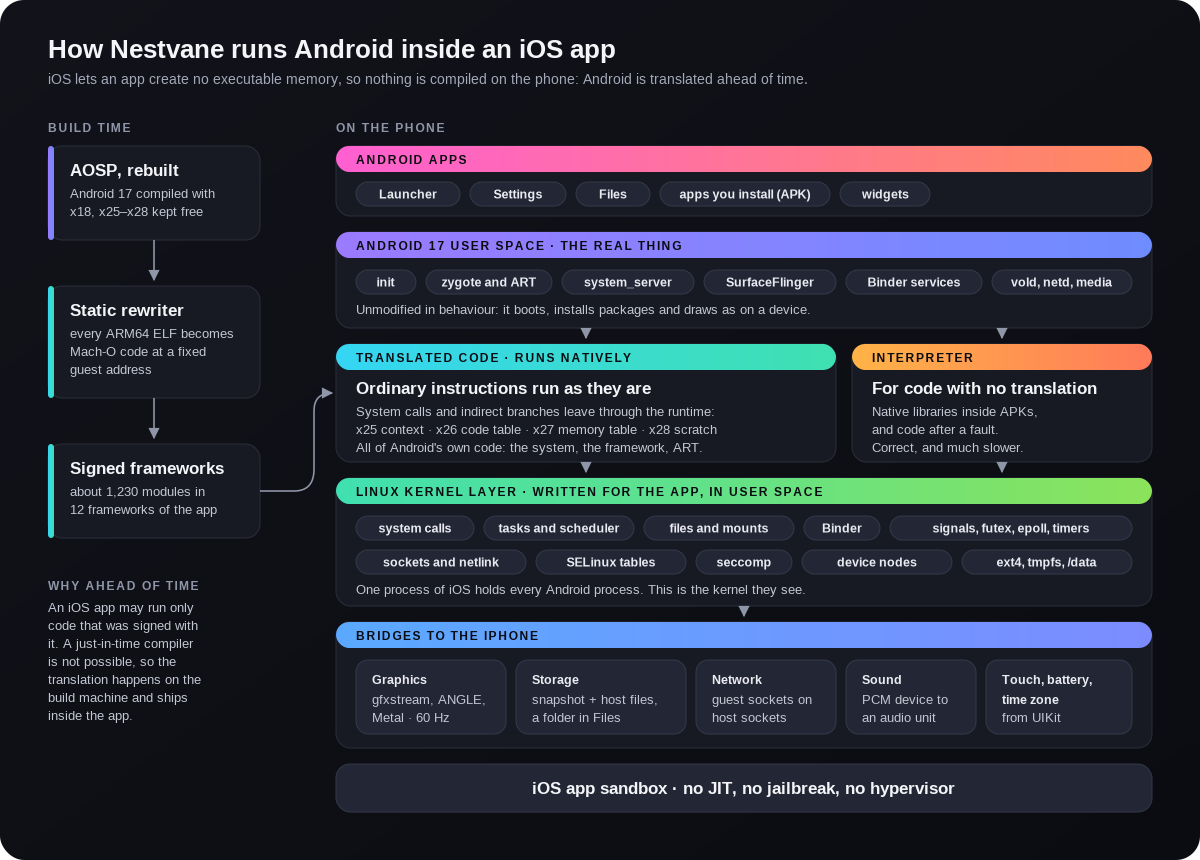
The screen is drawn with the iPhone’s graphics processor and shown at 60 frames a second, or at 120 on a ProMotion screen when you turn that on. Read the architecture
Limits
- Nestvane is not on the App Store. The release is an IPA that you sideload, signed with a paid Apple Developer Program membership (US$99 a year): it needs the Extended Virtual Addressing and Increased Memory Limit capabilities, and a free Apple ID does not get the first. There is no way yet for people without a developer account to run it.
- Video is decoded in software: 1080p plays at its full 30 frames a second, and higher resolutions have not been measured.
- On an iPad, Android is laid out as on a phone, not as on a tablet.
- There are no phone calls and no real SMS: the only text messages are the ones you write in Nestvane.
- Web pages inside apps run JavaScript without a JIT, so pages heavy with script are slower than on an Android phone.
- There are no Google apps or Google Play services. Apps that require them will not run.
- Apps that bring their own native code run noticeably slower than on an Android phone.
- Some apps do not start. Tell us which ones matter to you.
- The cameras give 640×480 pictures and video.
Requirements
iOS 17 or later, on an iPhone or iPad with at least 6 GB of memory. Tested on iPhone 14 (iOS 17), iPhone 15 Pro, iPhone 17 Pro and iPad Air (M3).
The newer the phone, the faster Android runs: it starts in about 7 seconds on an iPhone 17 Pro, about 8 on an iPhone 15 Pro, and about 8.5 on an iPhone 14.
The app is a download of about 1.2 GB and uses about 2.6 to 3 GB of memory while Android runs.
With thanks to two similar projects
Twoyi showed that Android translated ahead of time, with no JIT, is usable on an iPhone, and Nestvane follows that idea. Kernarium runs a real Linux kernel on iOS in the open, and was the system to learn from. Nestvane shares no code with either and was written from nothing. How the three compare
About the author, and why this exists
The author has written software for Windows, iOS and macOS for many years, and knows very little about Android.
Nestvane began after seeing similar projects, as a way to find out how far an AI coding agent could get on a problem like this one. The author directed the work and tested it on phones; the agents wrote the code. Two days with Codex (GPT-6.2 Sol) ended at a ten-minute boot on an interpreter. Two more with Claude Fable 5.2 brought it to what is described on this page.
The author’s conclusion is that Claude Fable 5.2 is very capable. The record of what was tried, measured and given up is in the repository.
Community and support
Follow progress, and report what works and what does not. How to report a problem, with Nestvane’s diagnostics
Discord
discord.gg/eGzEaP6TzR
Ask a question, share feedback, and talk with other people who run it.
Telegram
t.me/atomsprout
Follow updates and chat with us on Telegram.
Email
atomsprout@gmail.com
For app issues or a private conversation.
Source
github.com/atomsprout/nestvane
Read the code and the notes on how Nestvane is built.
Privacy policy
Effective November 22, 2026.
What Nestvane collects
Nothing. Nestvane has no account, no advertising and no analytics, and it does not send your files, your installed apps or your activity to AtomSprout.
Network
When Nestvane starts, it makes one request to Apple’s connectivity check at captive.apple.com so that iOS can ask whether Nestvane may use the network. Once a day, unless you turn it off in Nestvane’s Settings, it asks GitHub (api.github.com) which version of Nestvane is the latest; that request says nothing about you or your device beyond what any web request carries. Android itself checks its connection the way Android devices do, by contacting Google’s connectivity check servers. Everything else on the network is traffic of the Android apps you install, which handle your data under their own privacy policies.
Your data
Android’s apps and their data are stored inside Nestvane on your iPhone. Shared files are in the Nestvane folder of the Files app. Deleting Nestvane removes all of it.
Contact
If you email us, we receive your email address and the information you choose to share so we can respond. For privacy questions, email atomsprout@gmail.com.