Save your working set
All windows or this window. Keep their order, pinned tabs and native Chrome groups together.
 TabCarry
A SIMPLE CHROME EXTENSION
Good work doesn’t always happen in one sitting.
Save your open windows and tabs. Continue when you’re ready.
Available on Chrome Web Store · Free · Chrome 120+

LESS TO MANAGE
Small, thoughtful controls for the tabs you want to come back to.
All windows or this window. Keep their order, pinned tabs and native Chrome groups together.
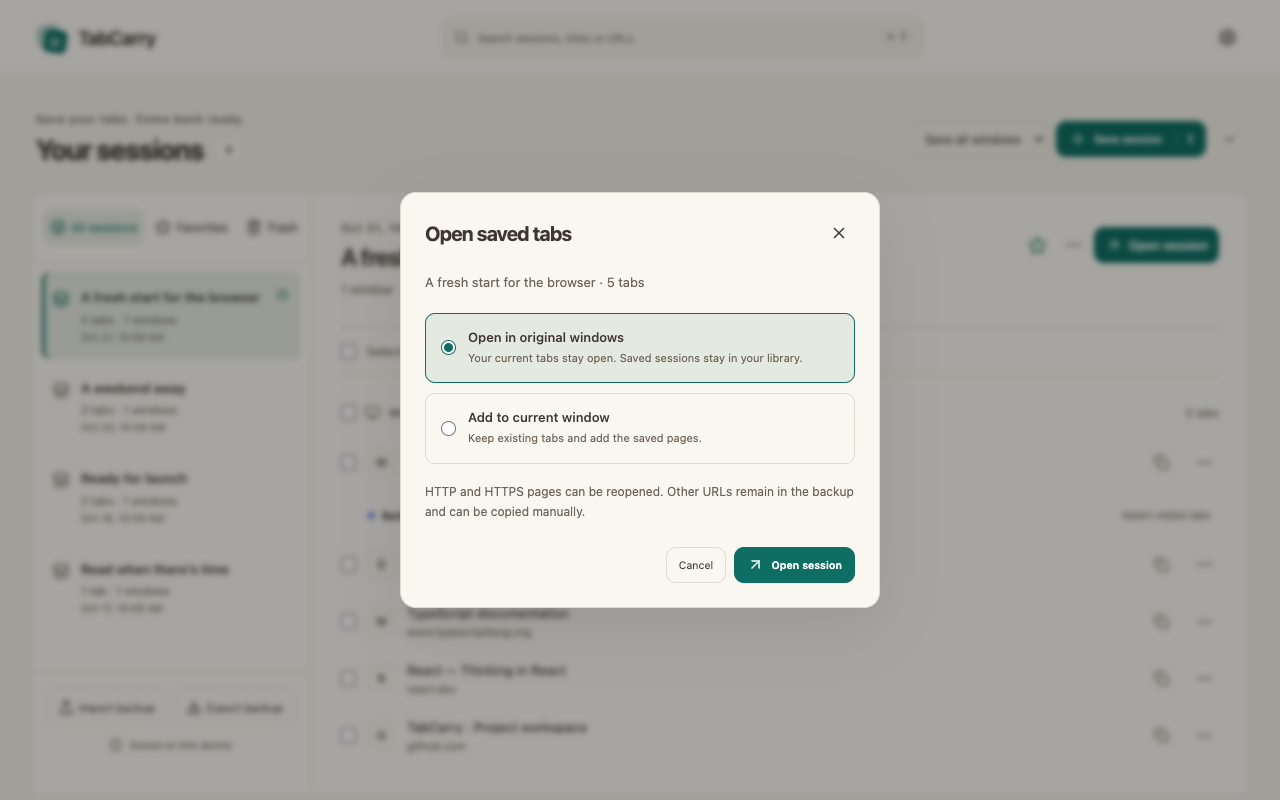
Reopen the original windows, add tabs to your current window, or choose a few pages. Your saved session stays put.
Search session names, page titles and URLs. Rename sessions and favorite the ones you use most.
PICK UP WHERE YOU LEFT OFF
Choose where your tabs open before restoring. Existing pages stay open, and progress reports tell you what happened.
LOCAL BY DESIGN
No sign-in, analytics or remote favicon requests. Export a JSON backup you control, and recover deleted sessions from a 30-day trash.
Read the privacy policyGET STARTED
Get TabCarry from Chrome Web Store and start saving your tabs.
Open TabCarry in Chrome Web Store and choose Add to Chrome.
Open Chrome’s extensions menu and pin TabCarry to your toolbar for easy access.
Click TabCarry, choose your save scope and save. Your current tabs stay open.
Page titles and full URLs, window structure, tab order, pinned and active tabs, and tab-group names, colors and collapsed state. TabCarry does not save page contents, unsent forms, cookies, login sessions, scroll positions or media progress.
You can save and manage the tab information already available in your browser while offline. Loading saved websites may need an internet connection. Only HTTP and HTTPS pages reopen automatically; other saved URLs can be copied manually.
Local extension data can be removed. Export an independent JSON backup first. You can later import that backup into TabCarry. Backup files contain full URLs and titles, so keep them private.
Ordinary Save leaves tabs open. Save and close is a separate action with a confirmation. TabCarry writes the snapshot before closing eligible tabs; it cannot preserve unsent form input.
Available now · Free · No account required